E-mail
MySQL database
If you don't have one yet, download and install MySQL server.
Create a database for Petals View:
example: petalview
Create a user with all rights granted to this database
example: user: view
pwd: view
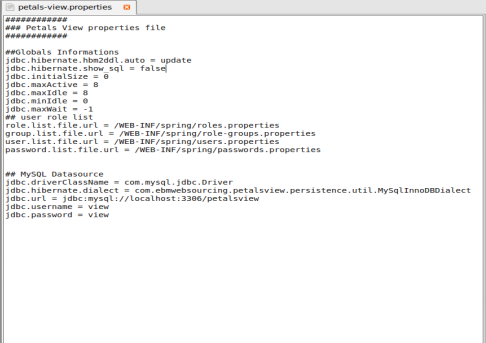
petals-view.properties file
Open this file (located in PetalsView-docs directory) and adapt informations to fit your database configuration (database name, users id and password, MySQL server address). Save the file.
SE-KPI Component configuration
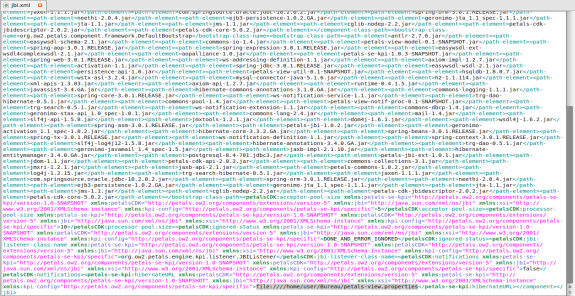
Browse directories to petals-se-kpi.zip/META_INF
Open jbi.xml file.
On this line – <petals-se-kpi:hibernateURL>: fill in the "petals-view.properties" file location
example : file:///home/user/Desktop/petals-view.properties
Save the file.
Petals View configuration
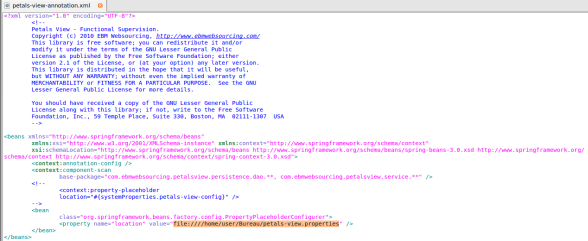
Go to PetalsView-webapp/PetalsView.war/WEB-INF/spring
Open petals-view-annotation.xml
On the line <property >, in value quotation marks, fill in "petals-view.properties" file location.
Example : \\\\samba\\pv00.vg00.Societe\\user\\Bureau\\PetalsView-Tutorial\\docs\\hibernate.cfg.xmlfile:///home/user/Bureau/ petals-view.properties