 E-mail
Eclipse configuration for Petals source code
Use the good source code formatter for Java files
You can define it by following these steps :
- go to Window -> Preferences, then select Java -> Code Style -> Formatter:
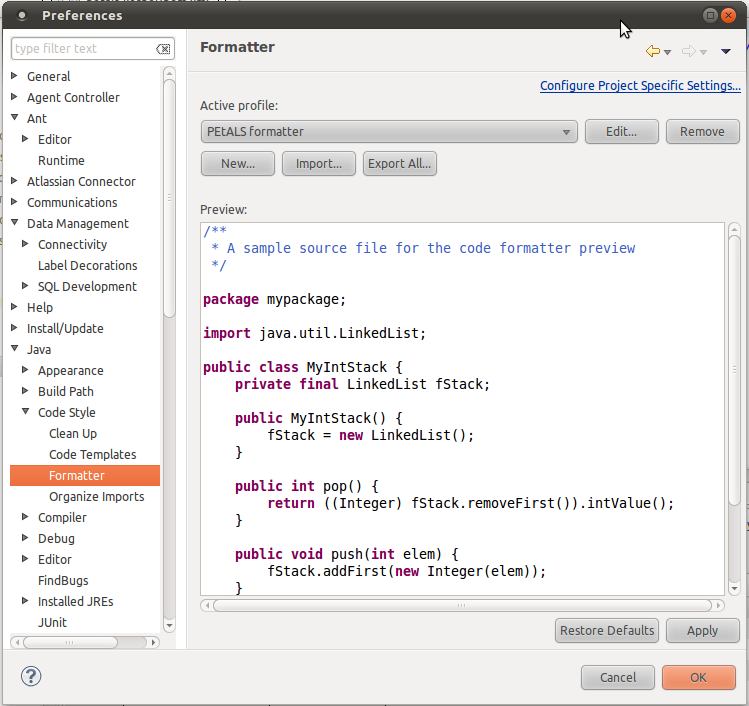
- click on "Import", and select the file "eclipse_formatter.xml" from the svn repository : https://svn.petalslink.org/svnroot/trunk/product/dev/prod/petals/dev-tools/petals-checkstyle-rules/src/main/resources/eclipse/eclipse_formatter.xml
- click on "Apply" to save.
Use the good source code formatter for XML files
Configure your XML formatter as following:
- go to Window -> Preferences, then select XML -> XML Files -> Editor,
- copy the following configuration:
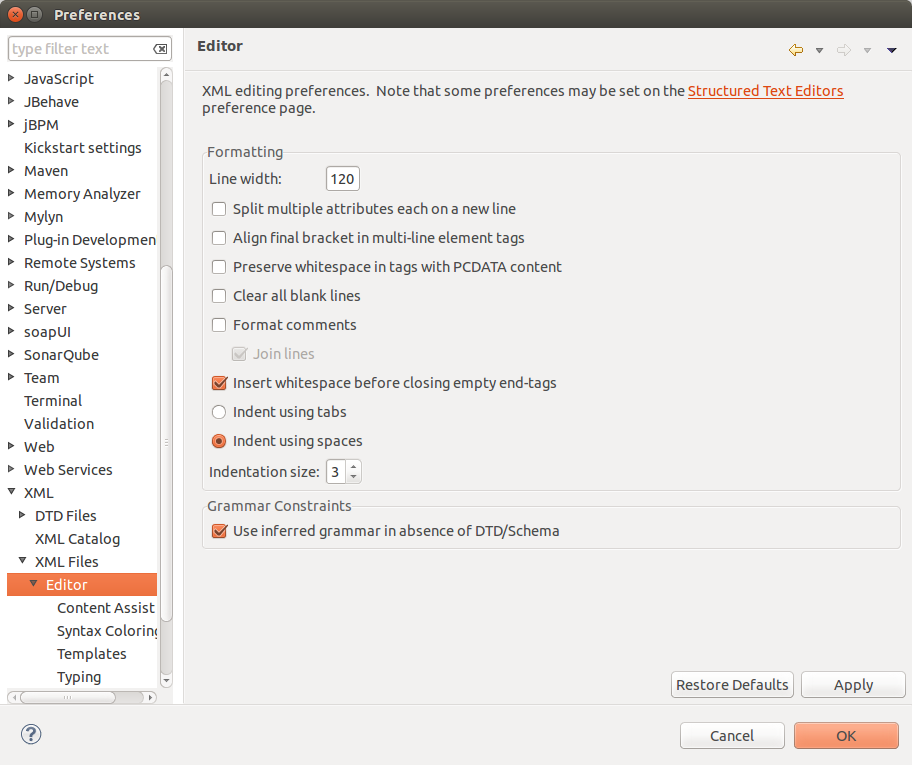
- click on "Apply" to save.
Set the right save actions
Configure your Save actions as following:
- go to Window -> Preferences, then select Java -> Editor -> Save Actions,
- copy the following configuration:
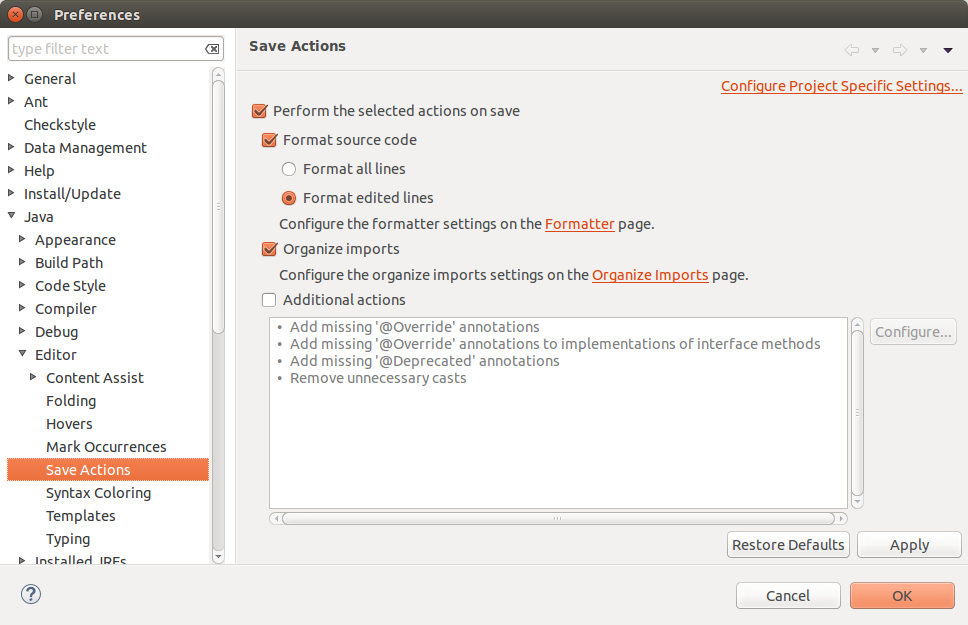
- click on "Apply" to save.
Integrating the Petals SonarQube Server
Configure the Petals SonarQube Server as following:
- go to Window -> Preferences, then select SonarQube -> Servers,
- copy the following configuration:
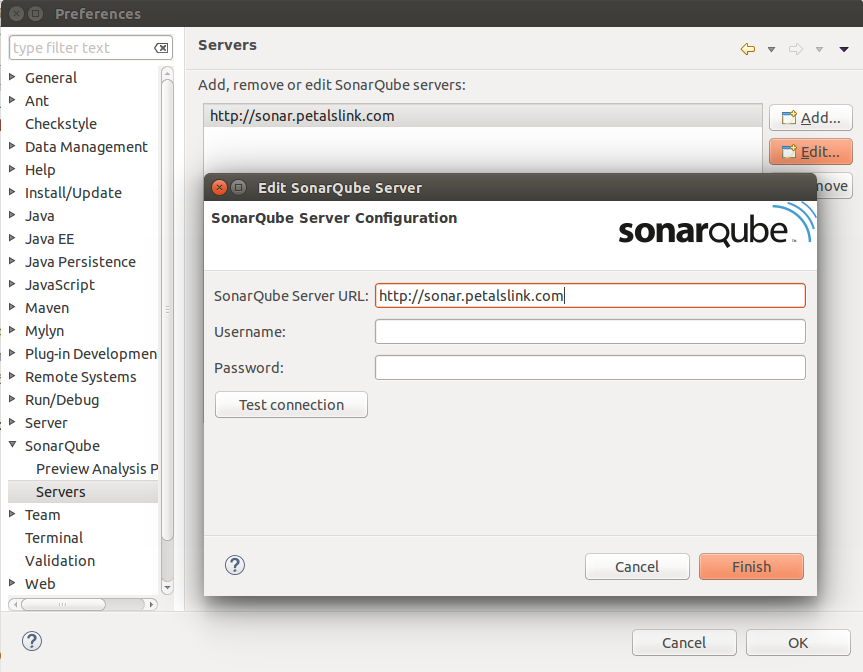
To see Sonar violations into your Java editor, you must re-import your projects.