Rationale and Context
A SME trading company uses Talend solutions to transform Excel files into XML files.
This transformation was found to be the most simple solution to ensure the interoperability between the different departments of the company. Indeed, if the use of Excel files is widely spread, some persons also need to work with a specific application, which works with XML files and a MySQL database. A Talend job was created to provide conversion and filtering means. This job was installed by the technical staff on all the machines, as a disguised batch script.
The company being in expansion, it was decided it would be more simple to expose the job through a single access point, rather than installing the job on each machine.
Solution
Overall solution
The retained solution was to expose it through a web application, that would call the job exposed a web service. The interest of the web service resides in the fact that add-ons and load-balancing facilities could be added later on, without redeveloping everything. Associated to the Talend target, these elements led to choose Petals ESB.
Thus, Excel files will be uploaded to the web application, which will then send them as attachment to the job.
The response will contain the resulting XML file as an attachment. The web application will then provide a link to download this XML file.
Petals Settings and Message Flows
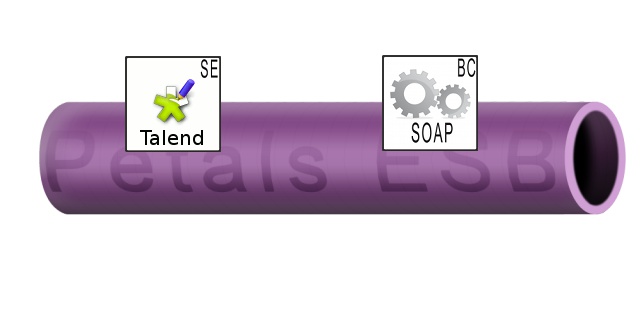
Deployed configurations:
- One configuration for the Petals-SE-Talend, which embeds the job to execute. It exposes the job as a service inside Petals ESB.
- One configuration for the Petals-BC-SOAP component. It will expose the job as a Web Service outside Petals ESB.
Message flows:
If the web service is called from outside the bus, here are the different messages transiting in the bus.
- From Petals-BC-SOAP to Petals-SE-Talend: the input message.
- From Petals-SE-Talend to Petals-BC-SOAP: the response.
Configuration for the Petals-SE-Talend component
Creating the job
The job is made up of four Talend components:
- The tFileInputExcel component loads the Excel file.
- The tMySqlInput component retreives data from a MySQL database.
- The tMap component filters the data contained in the Ecxel file by using database fields. It also performs some esthetic corrections.
- Eventually, the tFileOutputXML component serailizes the result as an XML file.
Here is what the job looks like.
Unable to render embedded object: File (BackupLogs_2.jpg) not found.
Both kinds of files, as well as the database, deals with customers data.
Here are the different schemas, starting with the Excel one.
Here is the schema of the MySQL database.
And here is the schema of the output XML.
Roughly, the differences between the input and the output consist in merging the name and only keeping the clients whose revenue are over 50 K€.
The main configuration points for the tFileInputExcel and tFileOutputXML rely on the fact this job will take attachment files in input and return attached files in output.
This why the location of the XML and Excel files must be defined in two different context variables (respectively inLocation, outLocation).
Besides, outLocation will be have to be fixed by the client (the web application). This will be mentioned again during the export.
The configuration for the tMySsqlInput is not given here, since it is very standard.
And here is a screenshot of the tMap editor, showing the mapping of the inputs to the output.
Exporting the job for Petals
The job is exported as a singleton job. The reason is that the output location will be the same on every call.
In the scope of possible extensions, the Petals end-point will be generated by Petals on deployment. Thus, to deploy a new instance of this job inside Petals, there is no need to edit the or reexport the job. You can use the same deployment archive and install it directly.
Also, export the context va
Configuration for the Petals-SE-Quartz component
Exposing the Talend job as a service inside Petals allows it to be called by any client.
This features allows the use of the Petals-SE-Quartz component.
Every 3 days, this component will be in charge of sending a message to trigger the execution of the BackupLogs job.
The job will be called every three days, let's say at noon. It corresponds to the following CRON expression.
And the XML message to send can be found, as an example, with SoapUI.
In this case, no parameter is required.
<tal:executeJob>
	<tal:contexts/>
	<tal:in-attachments/>
</tal:executeJob>
The configuration below was generated with the Petals Studio for the version 1.1 of the Petals-SE-Quartz component.
<?xml version="1.0" encoding="UTF-8"?>
<!--
JBI descriptor for the Petals' "petals-se-quartz" component (Quartz).
Originally created for the version 1.1 of the component.
-->
<jbi:jbi version="1.0"
xmlns:generatedNs="http://petals.ow2.org/components/ftp/version-3"
xmlns:jbi="http://java.sun.com/xml/ns/jbi"
xmlns:petalsCDK="http://petals.ow2.org/components/extensions/version-5"
xmlns:quartz="http://petals.ow2.org/components/quartz/version-1"
xmlns:xsi="http://www.w3.org/2001/XMLSchema-instance">
use a BC. -->
<jbi:services binding-component="false">
consumes a Service. -->
<jbi:consumes
interface-name="itfNs:BackupLogsServicePortType"
service-name="srvNs:BackupLogsService"
endpoint-name="BackupLogsEndpoint"
xmlns:srvNs="http://petals.ow2.org/talend/"
xmlns:itfNs="http://petals.ow2.org/talend/">
<petalsCDK:timeout>30000</petalsCDK:timeout>
<petalsCDK:mep>InOnly</petalsCDK:mep>
<quartz:cron-expression>0 0 12 1/3 * ?</quartz:cron-expression>
<quartz:content><![CDATA[<tal:executeJob>
<tal:contexts/>
<tal:in-attachments/>
</tal:executeJob>]]></quartz:content>
</jbi:consumes>
</jbi:services>
</jbi:jbi>
Running the use case
To test this use case, the first valuable thing to do would be to change the CRON expression, so that the jobs is executed every minute instead of every day.
should work.
Then, add a log file in the directory the tFileList will list.
As an example, you can use the following log sample. It will be inserted in the database (let the job create the table).
Deploy the Petals-SE-Quartz and Petals-SE-Talend components in Petals, as well as the two service-units.
Wait for a minute and check the Petals console and the database.
The console should display information about the request processing in the Petals-SE-Talend component.
The database should see the logs table created and filled-in. And the log file should have been moved into the backup directory.
|
 E-mail