E-mail
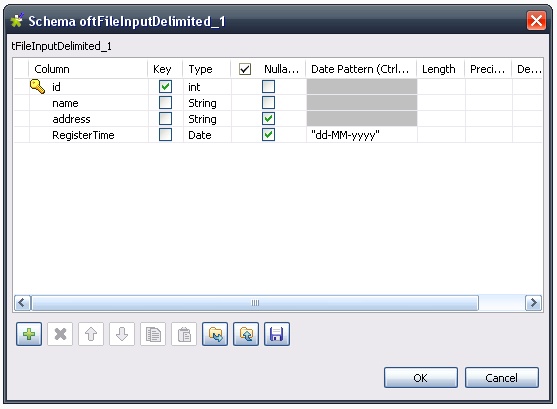
Preliminary notesThis use case can be reproduced with both Talend Open Studio and Talend Integration Suite. RationaleSend a CSV file as an attachment through Petals to a Talend job. The input message provides the attachment file. Creating and exporting the jobThe job to be executed performs the following actions:
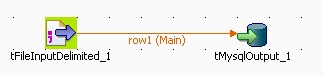
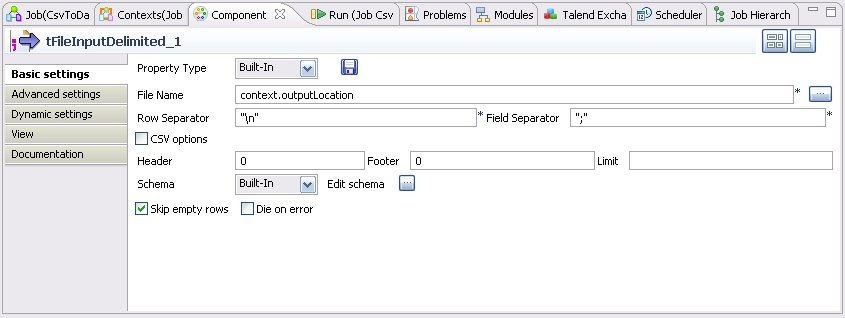
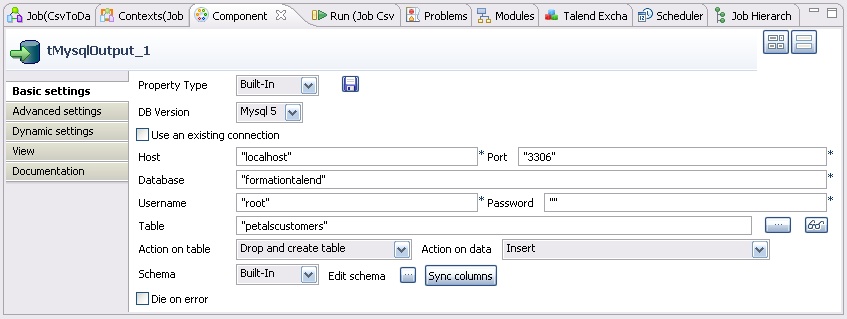
This job has one context variable, pointing to the location of the file whose content must be loaded. Creating the jobThe job is made up of two components:
Here is the overall aspect of the job.
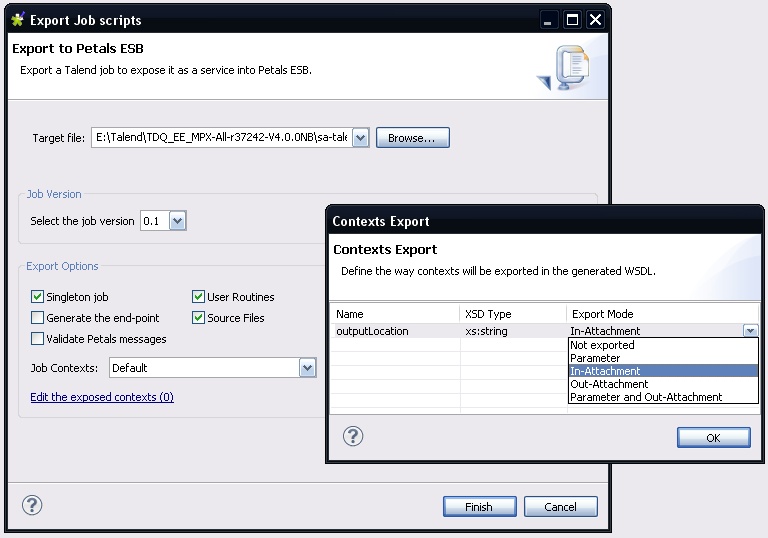
Exporting the jobSelect the job and right-click it. Select Export to Petals ESB. Click Edit the exposed contexts. You should have the following dialog:
The link label should be updated and indicate the number of exported contexts. Deploying and testing in PetalsLooking at the generated WSDLIn the created Petals service assembly, the most interesting thing to look at is the WSDL.
<xs:element name="executeJob" type="tns:executeJob" />
<xs:complexType name="executeJob">
	<xs:sequence>
		<xs:element minOccurs="0" name="contexts" type="tns:talendContexts" />
		<xs:element minOccurs="0" name="in-attachments" type="tns:inAttachments" />
		<xs:element maxOccurs="unbounded" minOccurs="0" name="in-data-bean" type="tns:inRow" />
		<xs:element maxOccurs="unbounded" minOccurs="0" name="talend-option" type="xs:string" />
	</xs:sequence>
</xs:complexType>

<xs:complexType name="talendContexts">
	<xs:sequence>
	</xs:sequence>
</xs:complexType>

<xs:complexType name="inAttachments">
	<xs:sequence>
		<xs:element name="outputLocation" nillable="true" type="tns:attachment" />
	</xs:sequence>
</xs:complexType>

<xs:complexType name="inRow">
	<xs:sequence>
	</xs:sequence>
</xs:complexType>
<xs:element name="executeJobResponse" type="tns:executeJobResponse" />
<xs:complexType name="executeJobResponse">
	<xs:sequence>
		<xs:element minOccurs="0" name="talend-job-output" type="tns:talendJobOutput" />
	</xs:sequence>
</xs:complexType>

<xs:complexType name="talendJobOutput">
	<xs:sequence>
		<xs:element maxOccurs="unbounded" minOccurs="0" name="executionResult" nillable="true" type="ns1:stringArray" />
		<xs:element minOccurs="0" name="outAttachment" type="tns:outAttachments" />
		<xs:element maxOccurs="unbounded" minOccurs="0" name="outDataBean" nillable="true" type="tns:outRow" />
	</xs:sequence>
</xs:complexType>

<xs:complexType name="outAttachments">
	<xs:sequence>
	</xs:sequence>
</xs:complexType>

<xs:complexType name="outRow">
	<xs:sequence>
	</xs:sequence>
</xs:complexType>
Deploying and testing this new serviceSince we use attachments, we will prefer using a Java client instead of SoapUI. The first thing to do is to create a service-unit for the Petals-BC-SOAP component, that exposes (consumes) our Talend job as a service outside the bus. Then, to generate a client from the WSDL, you can use Apache CXF or Axis2.
TODO
todo
To determine the act cause of a problem, you would have to use logging features available in the Talend palet. |
Table of contents Contributors
No contributors found for: authors on selected page(s)
|
Petals Documentation > Petals ESB > Petals Components > Components Use Cases > Use Cases for Petals-SE-Talend > Data Flow - From Petals to a Job using Attachments