E-mail
IntroductionCacti is a complete monitoring and graphing tool to present historical data coming from monitoring probes. The integration of Petals ESB and Cacti is to get information about the JVM. This is done using SNMP probes. InstallationCacti installationThe Cacti integration was experienced on a Linux distribution "Ubuntu Precise Pangolin (12.04)". Cacti is available in version 0.8.7i through the default Ubuntu repository. So, just install the package "cacti" using the standard way. Enabling the SNMP agents of the Petals ESB JVMsAs the monitoring tools can use SNMP probes to get information from the JVM running Petals ESB, we need to enable the SNMP agent of the JVM of each Petals ESB node. On each Petals node, in the environment configuration file, uncomment the system properties relative to the SNMP agent: # Uncomment following lines to enable SNMP agent of the JVM PETALS_JAVA_OPTS="$PETALS_JAVA_OPTS -Dcom.sun.management.snmp.port=16161" PETALS_JAVA_OPTS="$PETALS_JAVA_OPTS -Dcom.sun.management.snmp.interface=0.0.0.0" PETALS_JAVA_OPTS="$PETALS_JAVA_OPTS -Dcom.sun.management.snmp.acl.file=/etc/petals-esb/default-snmp.acl" Adjust your SNMP port, interface and ACL.
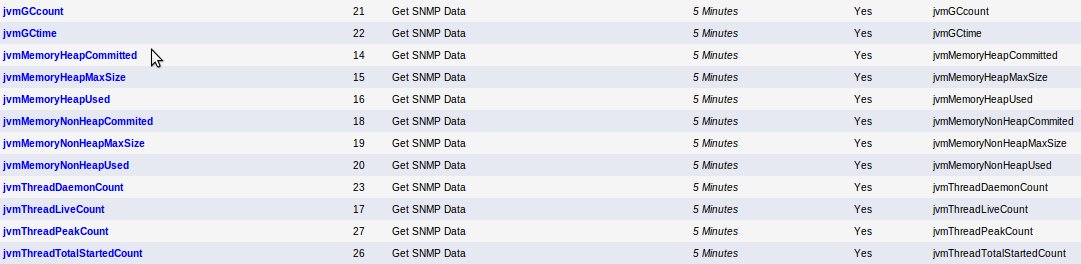
Cacti configurationImport in your Cacti configuration the content of the attachment cacti_host_template_jvm_host.xml Next, create your graphs from templates: |
Table of contents Contributors
No contributors found for: authors on selected page(s)
|
Petals Documentation > Petals ESB > Petals ESB 5.5.0 > Container User Guide > Monitoring Petals ESB > Monitoring Petals ESB with Cacti